HANKO: Client Approvals
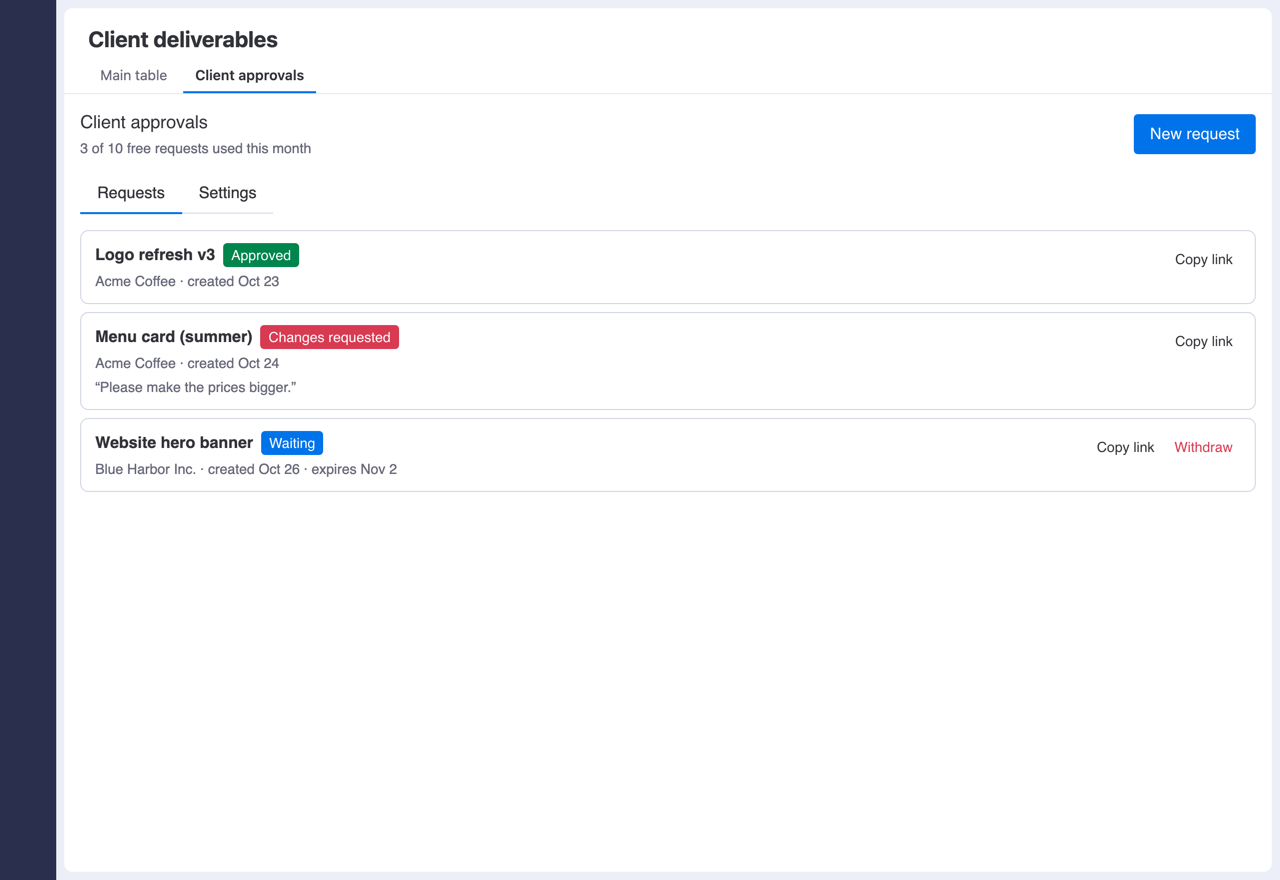
Get client sign-off on monday.com items with one link. Your client doesn't need a monday account, and the answer is written back to your board automatically.
The problem
Agencies and studios still collect approvals by emailing files, waiting for a reply, and then changing a status by hand. Inviting clients into monday.com uses up paid seats, and clients rarely want another login.
What it does
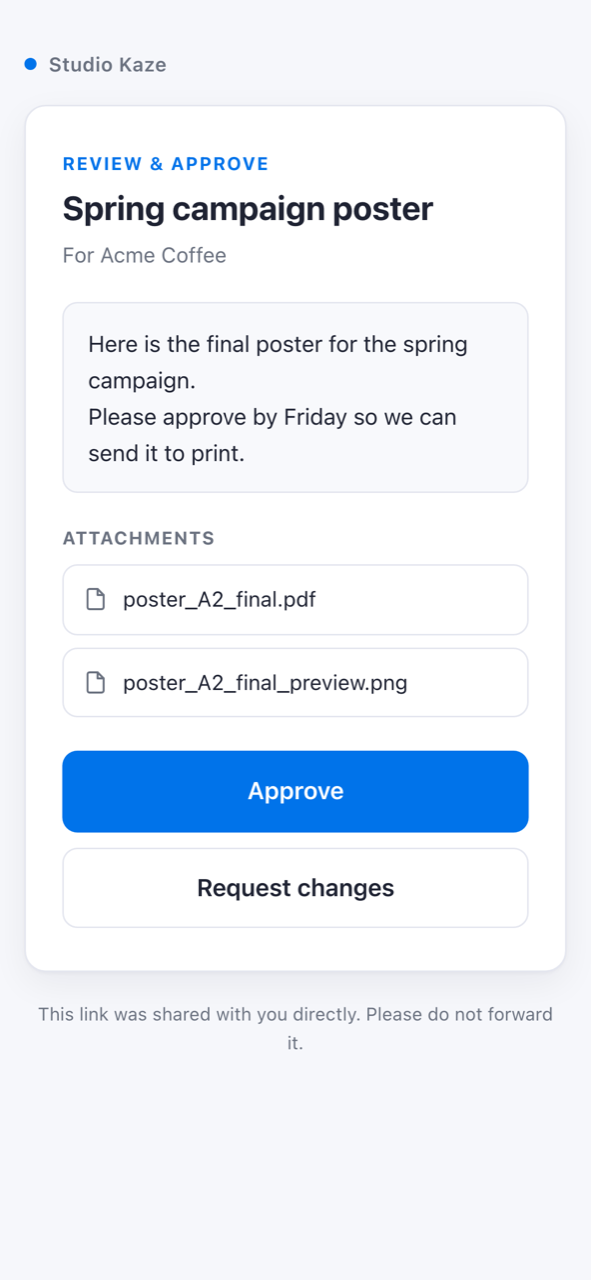
One link, no login
Pick an item and the files to include. Share the generated link by email, Slack or any channel you already use.
Approve or request changes
Your client reviews the deliverable on a clean, mobile-friendly page and either approves or sends back required comments.
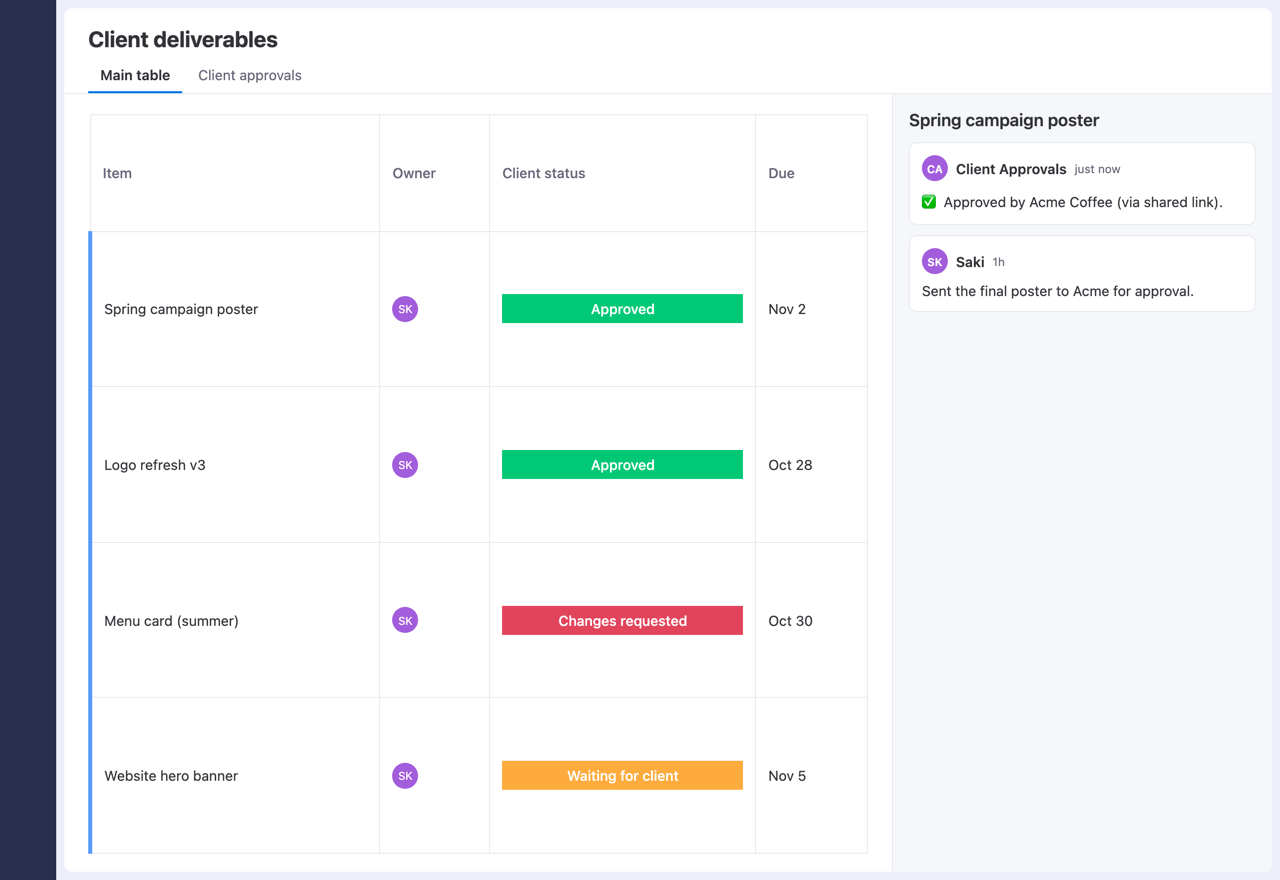
Board updates itself
The status column you choose changes automatically, and an update is posted on the item recording who responded and when.
You stay in control
Links expire (14 days by default) and can be withdrawn before they are answered. Each link shows only the item you chose, never the rest of your board.
Pricing
A free plan covers up to 10 approval requests per month. The paid plan, US$10 per month for your whole account, removes the monthly limit. Subscriptions are billed through the monday.com marketplace.